
posted on
When you open the accessibility settings on your smartphone and increase the font size, you will immediately notice that the system font size increases. On Android, as a Firefox user, you will also notice that websites scale. As a Chrome user, you won’t see any difference because Chrome doesn’t respect the font size settings for web content. As an iOS user, it’s the same.
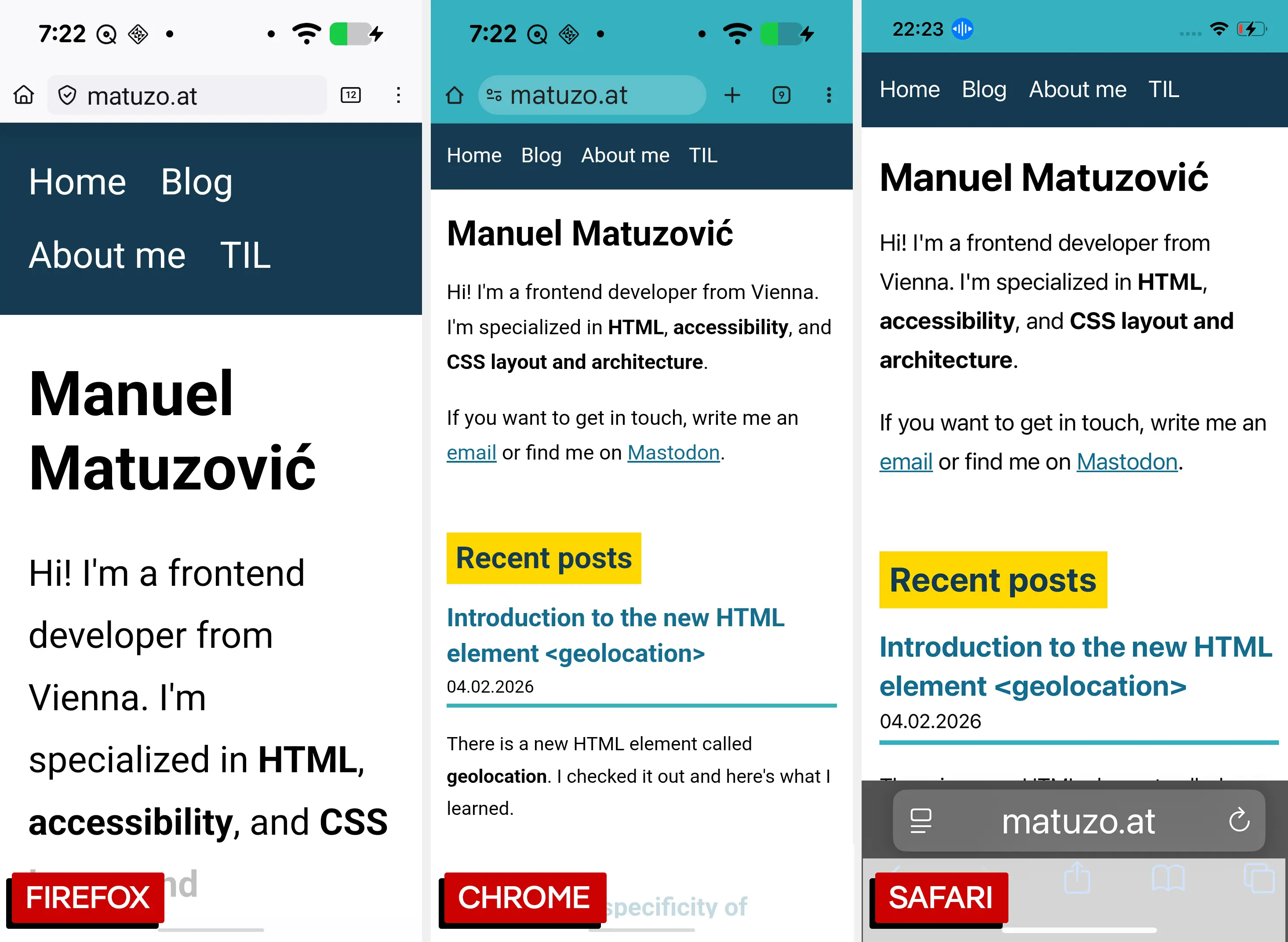
In a recent blog post by Josh Tumath, I learned about a proposal for a new meta tag that, in the future, may enable us to instruct browsers to respect text size settings on websites.
With the meta tag in place, text scales with the system settings (currently only in Chrome Canary). This only applies to text that uses relative units. In the screenshots below, you can see that the text size defined in pixels stays the same, while the text size defined in rem and em scales relative to the system font size.
My pixel test

My em test

My rem test
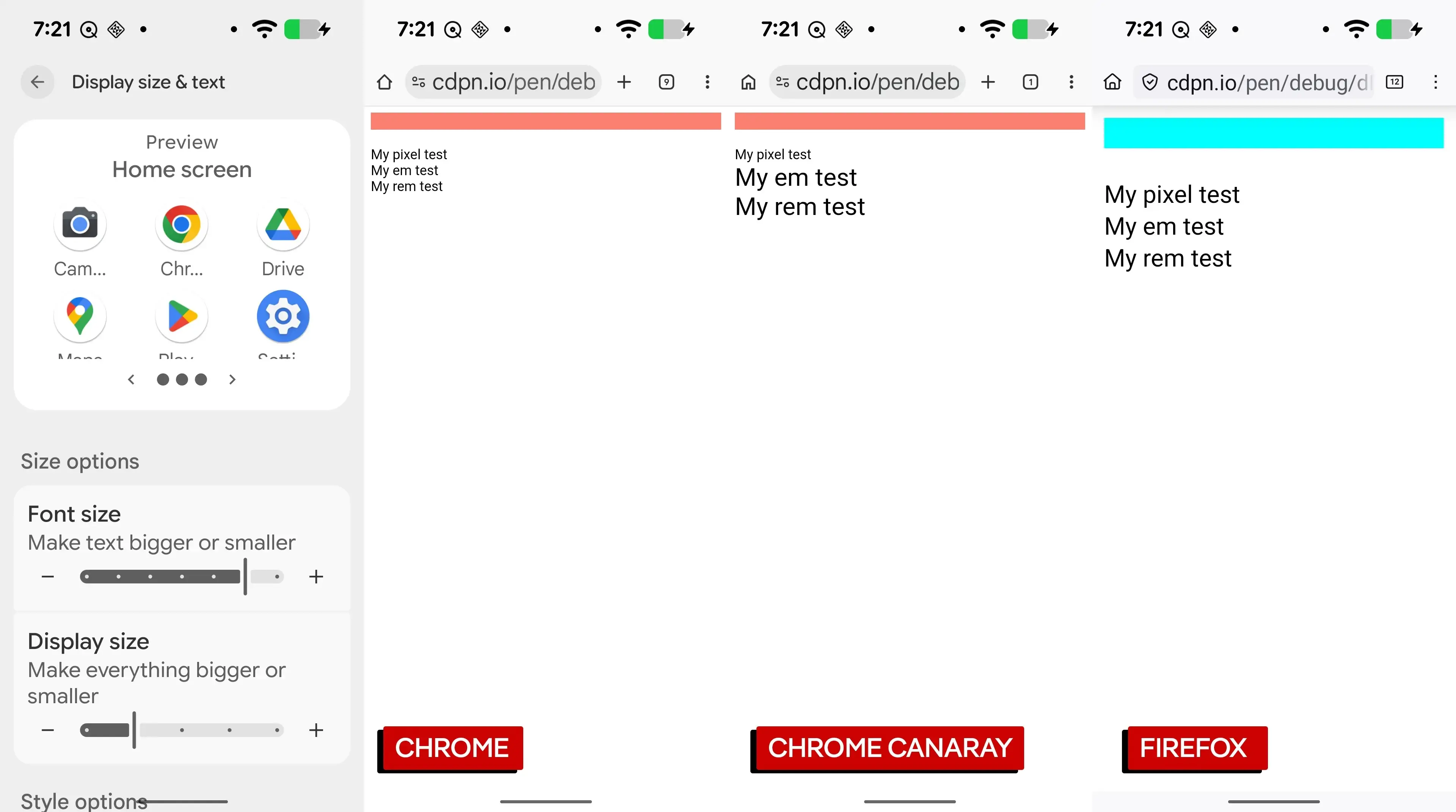
A comparison of Chrome, which doesn’t support the meta tag yet, Chrome Canary, and Firefox.
You may notice that Firefox also scales the text defined in px. That’s because Firefox doesn’t just scale the text; it performs a full-page zoom, which is something completely different. To prove that I added a border to the body that changes color at different breakpoints.
body {
  border-top: 20px solid var(--color, black);
}

@media (min-width: 200px) {
  body { --color: aqua; }
}

@media (min-width: 300px) {
  body { --color: fuchsia; }
}

@media (min-width: 400px) {
  body { --color: salmon; }
}
In Firefox, the border is aqua. Because of full-page scaling, it doesn’t even reach the 300px breakpoint.
Conclusion
I understand why they made this an option rather than changing how browsers behaved by default, because it would break too many websites. That being said, if you want to use it, first test it properly because adding the meta tag may result in horizontal scrolling, at least that’s what happened on my website. I like the fact that we have more control to respect user preferences, and I’m looking forward to the meta tag being supported by more browsers.
Thanks to Josh and the rest of the team for your efforts!