As AI coding agents become more capable and soon write all the code and all the documents and do basically all the professional managerial class actions, it won’t be straightforward to determine which words have been generated by a machine (lazy slop) and which words have been generated by a machine but curated by a human (bespoke efficient loving).
A few days ago I was looking into whether there was a way to have Claude Code affix my signature to a contract it had written, as I was too lazy to upload it to DocuSign and sign it myself. Halfway through the query I realized I was trying to have a computer impersonate me and desisted.
But it’s an interesting and important question of how we could credibly show that I have endorsed a document or contract or email, even if it was all written by AI. Given that we will have many automated AI systems running on our computers, it’s not as simple as just writing “I Ben endorse this” because that could be a mistake or forgery made by the AI interns working for me.
I think the key is that even with all their progress on innumerable benchmarks, AIs are still inferior to humans at having fingers, and so I’ve been experimenting with a workflow that uses the built-in TouchID sensor in mac laptops to affix a non-forgeable cryptographic signature which indicates a human reviewed and approved it.
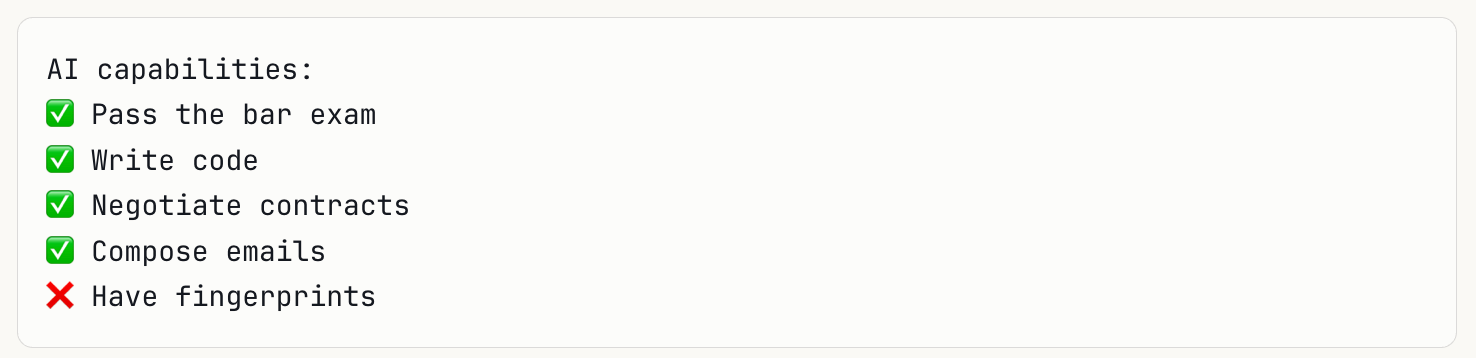
macOS has a Secure Enclave where private cryptographic keys can be generated, which are on a separate security chip. The key never leaves the hardware, and it cannot be extracted even with root access, making it very secure.
You can use macOS’s Secure Enclave via an app called Secretive which lets you generate custom keys and every signature with one of these keys requires a fresh Touch ID verification. Even if malware completely compromised the OS, or Claude Code goes rogue, it couldn’t sign anything using one of those keys.
So, the workflow is relatively simple:
-
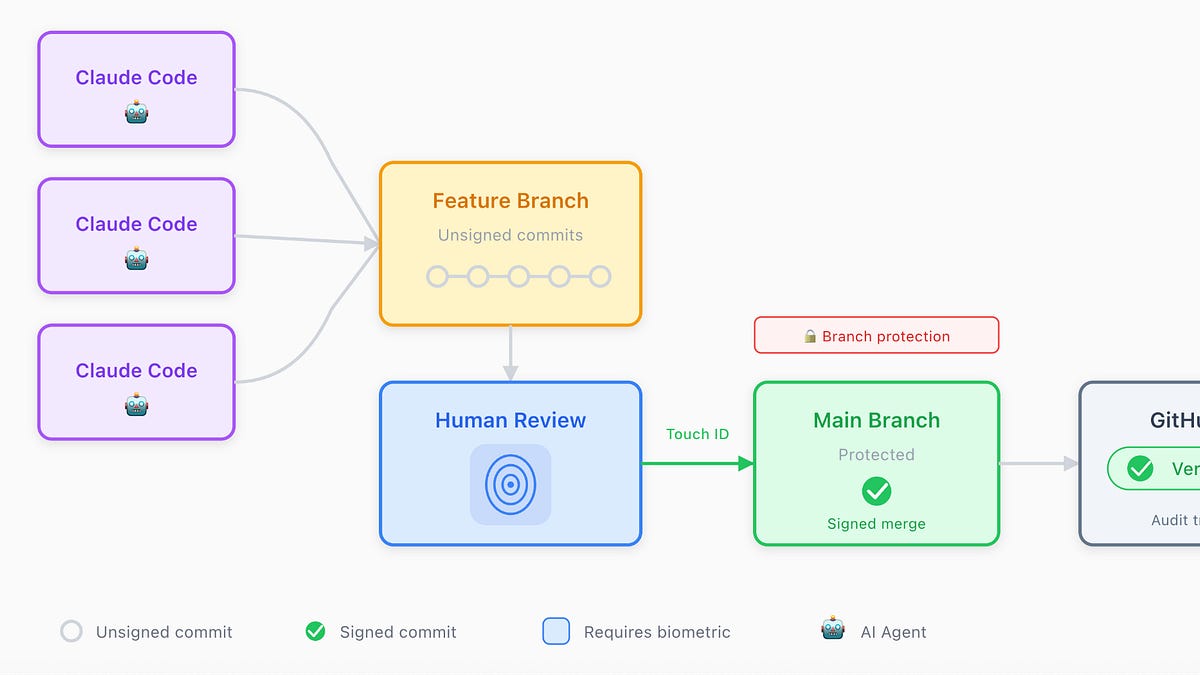
An AI agent (like Claude Code) writes code and commits freely to feature branches. These commits are unsigned.
-
On the repository side, you can enable, on Github, branch protection rules which ensure that unsigned commits can’t reach the main branch.
-
When I’m ready to approve I can create a signed merge commit to main.
-
The signature requires my physical touch on a biometric sensor (Touch ID or YubiKey)
-
On GitHub, commits show a green “Verified” badge when the signature matches a key registered to that user’s account, creating a transparent audit log.
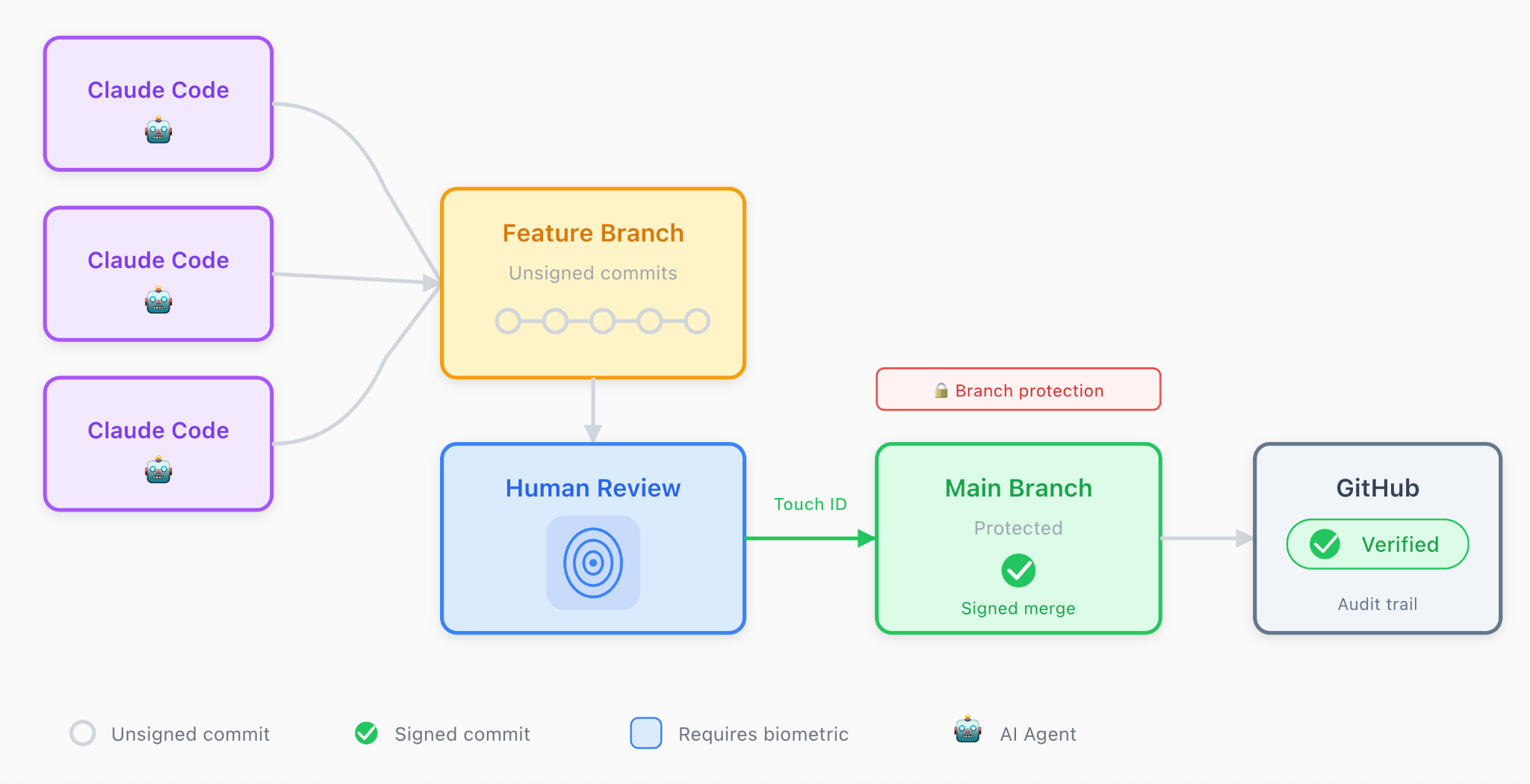
The signature is then proof of a physical human presence, or at least some being with a finger has approved the code for main.
The same workflow concept could extend to documents, emails, and other artifacts.
For instance, for your email, you could have an AI agent write and send emails on your behalf, with the content of the email in plaintext and also cryptographically hashed (which obscures the content of the message) and then signed by the key, indicating a human reviewed it.
The hashed and signed content could be appended under the email, which could then be verified as being signed by a human (presumably the sender).
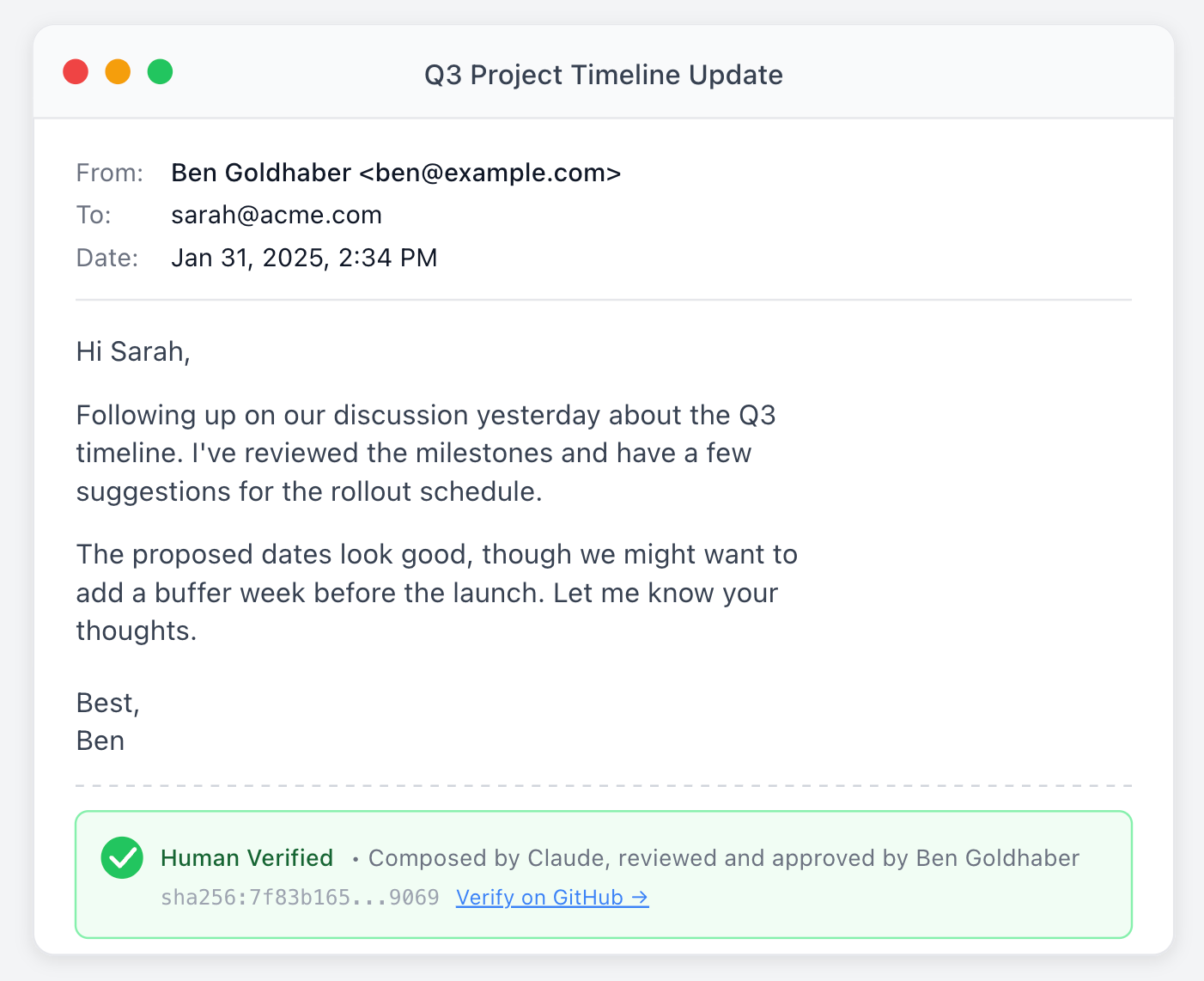
Of course no person ever actually manually verifies the provenance of anything. You can homebrew it by pushing the hashes to github, and allowing people to check that there’s a verified hash that matches the one in their email, but again that’s a lot of manual work. It works with coding because there’s a bunch of great automated infrastructure that has been built over decades of software engineering to make this kind of security seamless.
This norm of human hardware signature, along with tools and infra, seems important to build as we have more and more agents running on our behalf. When I have an AI agent negotiate for my next car, I should still be the one who’s able to affirmatively and credibly say yes, I approve of the extra sunroof features.
Note that while the cryptography is solid, the signature only proves “a human touched the sensor”, not “a human thought carefully and deliberately as to whether they should touch the sensor”. An agent could potentially:
-
Ask you to sign while showing a misleading diff
-
Request approval with a benign-looking commit message hiding malicious changes
-
Prompt rapidly hoping you’ll touch without reading
But, still, I’m excited at how far this basic pattern gets you, and how easy it was to implement.
I’d also recommend choosing a cool signing key name. I went with carbon-verified, to communicate that in fact a carbon based lifeform approved this message.
Instructions and workflow for setting up Secretive and Git for signing commits.