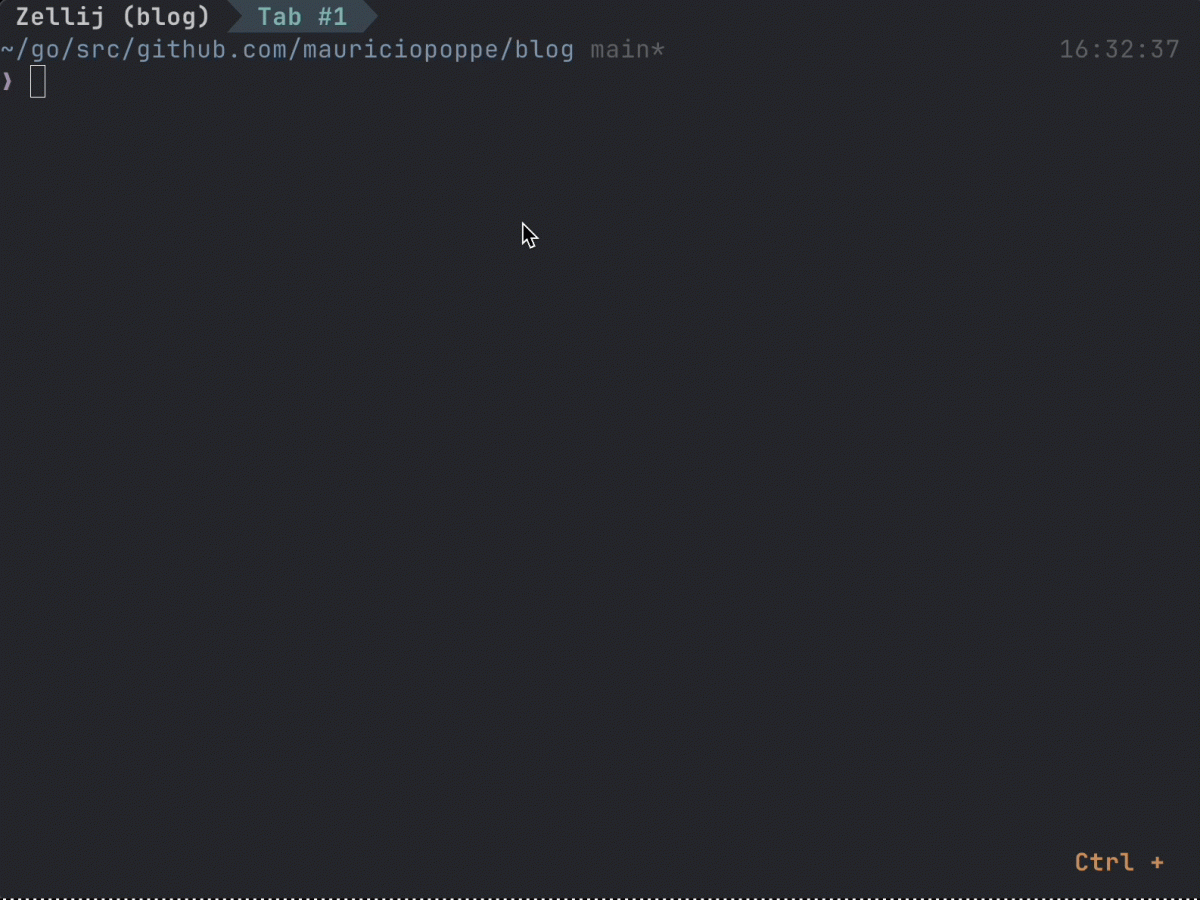
I use the terminal as my primary workspace where I run my text editor, my AI agent, etc.
A good terminal multiplexer acts as the glue for that workspace,
allowing me to manage complexity, maintain context, and persist work across accidental disconnects.
I have used Tmux for years because it perfectly aligns with the Unix philosophy:
it is a stable, composable tool that stays out of my way while being scriptable.
It turns my terminal into a series of isolated project “workspaces” that I can jump between in an instant.
When evaluating a multiplexer, my core requirements are:
- Remote-First Workflow: My laptop is a thin client. Whether at work or home, I do most of my work in a workstation that I access through SSH.
The multiplexer must run on these remote machines and ensure that my context survives network drops or laptop reboots. - Unified Workflow: I need a single source of truth for my environment.
My keybindings, configurations, and core setup must be identical across both work and personal machines so I don’t have to waste mental energy remembering different shortcuts for different contexts. - Persistent Workspaces: The ability to organize work into named sessions that I can detach from and return to later, exactly where I left off.
- Pane Management: Fast, intuitive ways to split the terminal horizontally and vertically to keep code, logs, and shells in view.
- Seamless Editor Integration: A way to navigate between Neovim and surrounding terminal panes without thinking about it, preferably using the same keybindings.
- Scriptable Session Switching: A fast launcher to jump between different projects using fuzzy searching, combining both active sessions and a list of project bookmarks.
Tmux has always fulfilled these requirements for me, primarily because its robust CLI allows me to extend its behavior with simple shell scripts and tools like fzf.
My Current Workflow
I have detailed my development workflow, which centers around Tmux, Neovim, and Zsh, in a separate article called
.
In that post, I talk about how I manage my tasks, my notes, and how I use Tmux to keep everything organized.
However, when Zellij started gaining traction, I was curious to see if a “modern” take on the multiplexer could offer a better experience.
Learning Zellij
You can start exploring it with a single command and the built-in UI guides you from there.
One feature I liked was the command mode toolbar, when you enter a mode, a bar at the bottom shows the next possible keyboard shortcuts.
It felt very similar to the
plugin for Neovim,
which is a good way to memorize key bindings until I get into the muscle memory habit.
I also found it interesting that Zellij has a “vi” like model. It uses modes like Normal, Insert, and Pane, which feel familiar to a Neovim user.
However, I had mixed feelings about the configuration language choice:
.
While KDL is a fine language, it’s yet another syntax I have to learn and maintain.
I would have liked if Zellij had support for
or
,
which Zellij had support for at some point but the
because of some downsides of YAML.
Setting up key bindings and workspaces
My goal was to mirror my Tmux muscle memory as closely as possible. In my
,
I setup initial mappings:
Ctrl + Spaceto jump into “Tmux mode.”Ctrl + Space+\creates a vertical pane (right).Ctrl + Space+-creates a horizontal pane (down).Ctrl + h/j/k/lto move between panes (consistent with my Neovim/Tmux setup).
My first friction point was that Zellij’s own modes often conflict with Neovim’s modes.
To solve this and keep my navigation fluid I had to use a few plugins.
First, I needed the
plugin to automatically detect when
I’m in a Neovim pane and switch Zellij from Normal mode to Locked mode. This ensures that my Neovim keybindings aren’t intercepted by Zellij.
On the Neovim side, I added
which handle the Ctrl + h/j/k/l navigation
from within Neovim in a way that coordinates with Zellij. For example, when I move from a Neovim pane to a regular terminal pane,
the plugin signals Zellij to switch its mode from Locked back to Normal.
This setup already feels like a hack because it
relies on a workaround involving timers
.
This means that if I move across panes very rapidly, the synchronization can occasionally fail.
Single keybind launcher to switch sessions
One of my core requirements is Scriptable Session Switching.
I need a system that works with my terminal multiplexer and helps me find a project
and jump into its workspace (optionally creating it if it doesn’t exist) with a single key binding shortcut.
Zellij actually has its own built-in session manager with a nice UI which also provides the ability to remember and resurrect sessions.
However, I found myself disliking it because it felt too prescriptive.
It forces you to manage sessions its way and doesn’t easily integrate with other external tools like fzf.
This is where I appreciate Tmux’s minimalism which fulfills the Unix philosophy of doing one thing well and then getting out of the way,
allowing me to build my own workflows on top of it.
In Tmux, I fulfill this using a custom
which aggregates a list of project “bookmarks” and the currently active sessions. This list is then piped into fzf for fuzzy selection,
it’s equivalent to this one liner:
# This is a simplified version of my setup; it doesn't run as it is.
( cat $bookmarks && tmux ls ) | fzf --tmux | xargs tmux switch-client -t
Zellij doesn’t have a subcommand equivalent to tmux switch-client, which is a fundamental building block for me.
I was surprised to find that I had to install a third-party plugin just to achieve this basic functionality,
this really feels like it should be a core, default command.
There’s this
where the author confirms that plugins are currently the intended way to handle this.
Fortunately, the
plugin already exists to fill that gap.
I adapted my Tmux workflow to Zellij using this logic:
# This is a simplified version of my setup; it doesn't run as it is.
( cat $bookmarks && zellij list-sessions -n ) | fzf | \
  xargs -I {} zellij pipe --plugin https://github.com/mostafaqanbaryan/zellij-switch/releases/download/0.2.1/zellij-switch.wasm \
  -- "session $(basename {}) --cwd {} --layout default"
I expanded the one liner into a larger shell script
.
then, I mapped a keybinding Ctrl + Space + Ctrl + J to run the script with the following Zellij config:
        bind "Ctrl j" {
            SwitchToMode "normal";
            Run "zellij-switch-session" {
                direction "Down";
                close_on_exit true;
            }
        }
Here’s a demo of the launcher:
Demo of switching sessions with Zellij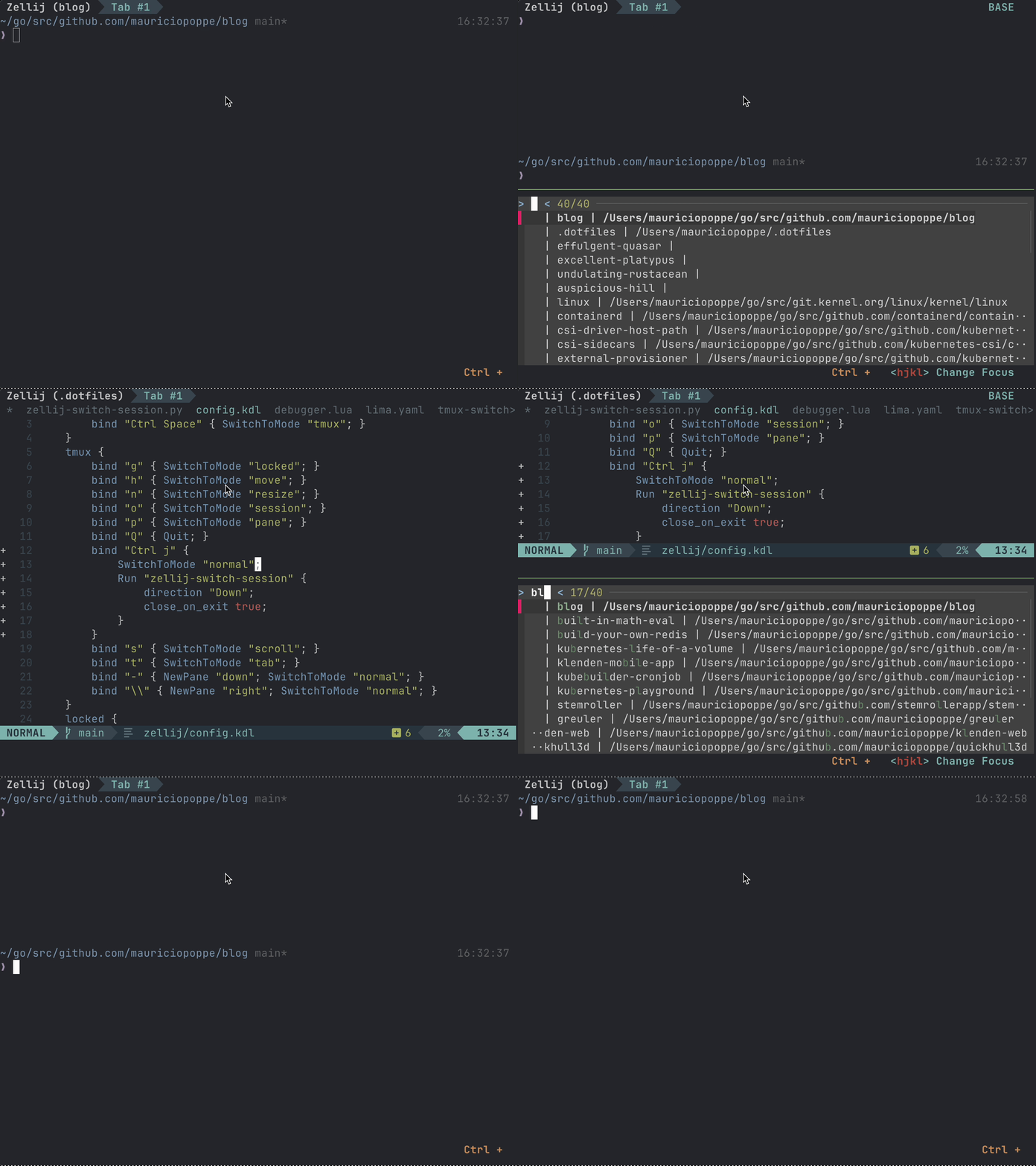
Was it worth it?
While Zellij fulfilled my requirements and I used it regularly for at least 3 weeks,
I ended up going back to tmux.
First, here are the things I really liked about Zellij:
- Open the current pane output in my editor – It’s easier to do a search and find in Neovim.
- The command toolbar – It shows you which keybindings to use for the current mode, very useful as I get into the
habit of building my muscle memory for key bindingds that I might need. - Resizing isolation – If a panel is resized from within (e.g., running
nvim-dap-uiin Neovim), it doesn’t affect
the layout of the window. In tmux, when a pane is resized it causes all other panes to be resized and it’s very annoying,
but it’s not a problem in Zellij. - Persistent Fullscreen – Fullscreen mode remains active when you switch to other panes. In tmux, if I move from a full screen
pane into another it makes Tmux exit out of full screen mode, I wished there could be an opt-in to remain in full screen mode.
Unfortunately, I found these things annoying:
- No “last session” navigation – Zellij doesn’t have a native way to navigate to my last session. In tmux, I have a binding
toCtrl + Space+Spaceto switch back to my previous session. In Zellij, I had to
enter the name of the session every time I wanted to switch back. I guess I could implement that
as another script that kept track of the last session but I didn’t implement it. - No mouse support to resize panes – I could only do this with keybindings.
- No way to kill unresponsive panes – In tmux, if there’s a pane that’s stuck,
I runrespawn-pane -kto restart it. I couldn’t find an equivalent in Zellij. - Layout bugs – There’s a bug when launching a temp pane to run a command. In some cases, the layout changes
after switching to another session.
Ultimately, it’s a matter of personal preference. I’m happy with tmux for now.