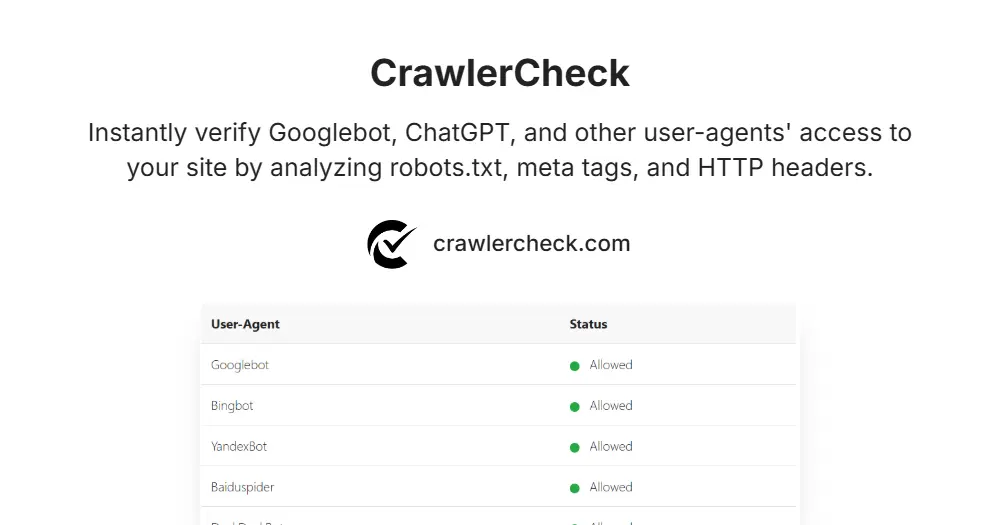
How to Run a Google Crawl Test
Performing a website crawl test is essential when
launching new pages. Unlike a simple “check” which looks at status, a
full test crawl website procedure verifies if Googlebot
can actually fetch your resources.
Use the input field above to simulate a Google crawl test. This validates that your server headers, robots.txt, and meta tags
allow the bot to pass through, ensuring your content is visible for
indexing.
Robots.txt Overview
The robots.txt file is a fundamental tool in website
management that controls how search engine crawlers and other bots
access your site. Located in the root directory of your domain (e.g., www.example.com/robots.txt), it instructs crawlers which
parts of your website they are allowed or disallowed to visit. This
helps conserve your crawl budget by preventing bots from wasting
resources on irrelevant or sensitive pages, such as admin panels or
duplicate content.
Unlike meta tags or HTTP headers, the robots.txt file works
at the crawling stage, meaning it stops bots from even requesting
certain URLs. However, since it only controls crawling and not indexing,
pages blocked by robots.txt may still appear in search
results if other sites link to them. Therefore, using robots.txt effectively requires careful planning to avoid unintentionally
blocking important content from being discovered.
Because robots.txt directives are publicly accessible, they
should not be relied upon for security or privacy. Instead, it’s best
used to guide well-behaved crawlers and optimize how search engines
interact with your site. When combined with other tools like meta robots
tags and X-Robots-Tag headers, robots.txt forms a complete
strategy for crawler management and SEO optimization. Detailed info at: Google’s Robots.txt Documentation, also make sure you check out: Robots.txt Standards & Grouping
Meta Robots vs X-Robots-Tag
Meta robots tags and X-Robots-Tag HTTP headers both serve to instruct
search engines on how to index and display your content, but they differ
in implementation and scope. The meta robots tag is placed directly in
the HTML section of a specific webpage, making
it easy to apply indexing and crawling rules on a per-page basis. Common
directives include noindex to prevent indexing and nofollow to block link following. Documentation: Mozilla’s Meta Robots Documentation
In contrast, the X-Robots-Tag is an HTTP header sent by the server as
part of the response, allowing you to control indexing rules across
various file types beyond HTML, such as PDFs, images, and videos. This
makes the X-Robots-Tag more flexible and powerful for managing how
search engines handle non-HTML resources or entire sections of a website
at the server level. However, it requires server configuration and may
be less accessible to those without technical expertise. Documentation: Mozilla’s X-Robots-Tag Documentation
Both methods influence indexing rather than crawling. Importantly, if a
URL is blocked in robots.txt, crawlers won’t access the
page to see meta tags or HTTP headers, so those directives won’t apply.
Therefore, combining these tools strategically ensures you control both
crawler access and how content appears in search results.
Why AI Bots Might Be Blocked (ChatGPT, GPTBot)
AI-powered crawlers like ChatGPT-User, GPTBot, and others are
increasingly used by companies to gather web content for training
language models and providing AI-driven services. While these bots can
enhance content discovery and AI applications, some website owners may
choose to block them due to concerns about bandwidth usage, data
privacy, or unauthorized content scraping.
Unlike traditional search engine bots that primarily aim to index
content for search results, AI bots may process and store large amounts
of data for machine learning purposes. This can raise legal or ethical
issues, especially if sensitive or copyrighted content is involved.
Additionally, some AI bots might not respect crawling rules as strictly
as established search engines, prompting site owners to restrict their
access proactively.
Blocking AI bots can be done via robots.txt, meta robots
tags, or server-level configurations, but it’s important to weigh the
benefits and drawbacks. While blocking may protect resources and
privacy, it might also limit your site’s exposure on emerging AI
platforms. Therefore, site owners should monitor bot activity carefully
and decide based on their specific goals and policies. About OpenAI
bots: OpenAI Crawler Documentation
When It’s Okay to Block Bots (e.g., Private Pages)
Blocking bots is appropriate and often necessary when dealing with
private, sensitive, or low-value pages that should not be indexed or
crawled. Examples include login pages, user account dashboards, staging
or development environments, and duplicate content pages. Preventing
bots from accessing these areas helps protect user privacy, conserve
server resources, and avoid SEO issues like duplicate content penalties.
Using robots.txt to disallow crawling is the most common
method for blocking bots from these sections. However, for pages that
should not appear in search results at all, adding noindex directives
via meta robots tags or X-Robots-Tag headers is recommended to ensure they
are excluded from indexes even if crawled. Combining these methods provides
a robust approach to controlling crawler behavior.
It’s also acceptable to block certain bots that are known to be
malicious, overly aggressive, or irrelevant to your site’s goals. For
instance, blocking spammy bots or scrapers can protect your content and
server performance. Ultimately, blocking bots should be a deliberate
decision aligned with your site’s privacy, security, and SEO strategies.
Debugging “Indexed, though blocked by robots.txt”
One of the most common warnings in Google Search Console is “Indexed,
though blocked by robots.txt.” This seems contradictory—how can it be
indexed if it’s blocked?
The Problem: You have a Disallow rule in your robots.txt file, but other
websites are linking to that page. Google follows the link, sees the “Do
Not Enter” sign (robots.txt), and stops. However, because it found the
link, it still indexes the URL without reading the content.
The Solution: You cannot fix this by adding a noindex tag, because
Googlebot is blocked from reading the tag!
- Use CrawlerCheck to confirm that a rule in your robots.txt is
triggering the block. - Remove the Disallow rule temporarily.
- Add a ‘noindex’ meta tag to the page HTML.
- Allow Googlebot to crawl the page again so it sees the noindex
instruction and drops the page from search results.
How to Debug “Crawled – Currently Not Indexed”
This is the most confusing status in Search Console. It means Google
visited your page but decided not to include it in the search results.
While this is often a content quality issue, it can also be a hidden
technical error.
- Hidden “noindex” Headers Sometimes a plugin adds an X-Robots-Tag:
noindex HTTP header that you can’t see in the HTML source code. CrawlerCheck
reveals these hidden headers instantly. - The “False Positive” Block If your page takes too long
to respond (Timeout/5xx), Googlebot might abandon the indexing process.
Check your “Status Code” results above to ensure it’s a clean 200 OK.
✅ Quick Fix: Run a check on the URL above to rule out technical
blocks before rewriting your content.