




Blink is a self-hosted platform for running AI agents that your team can talk to in Slack, GitHub, and a web UI.
It includes Scout, an agent built for coding tasks and codebase research, which you can customize with new tools and prompts.
You can also build entirely new agents in TypeScript with the Blink SDK.
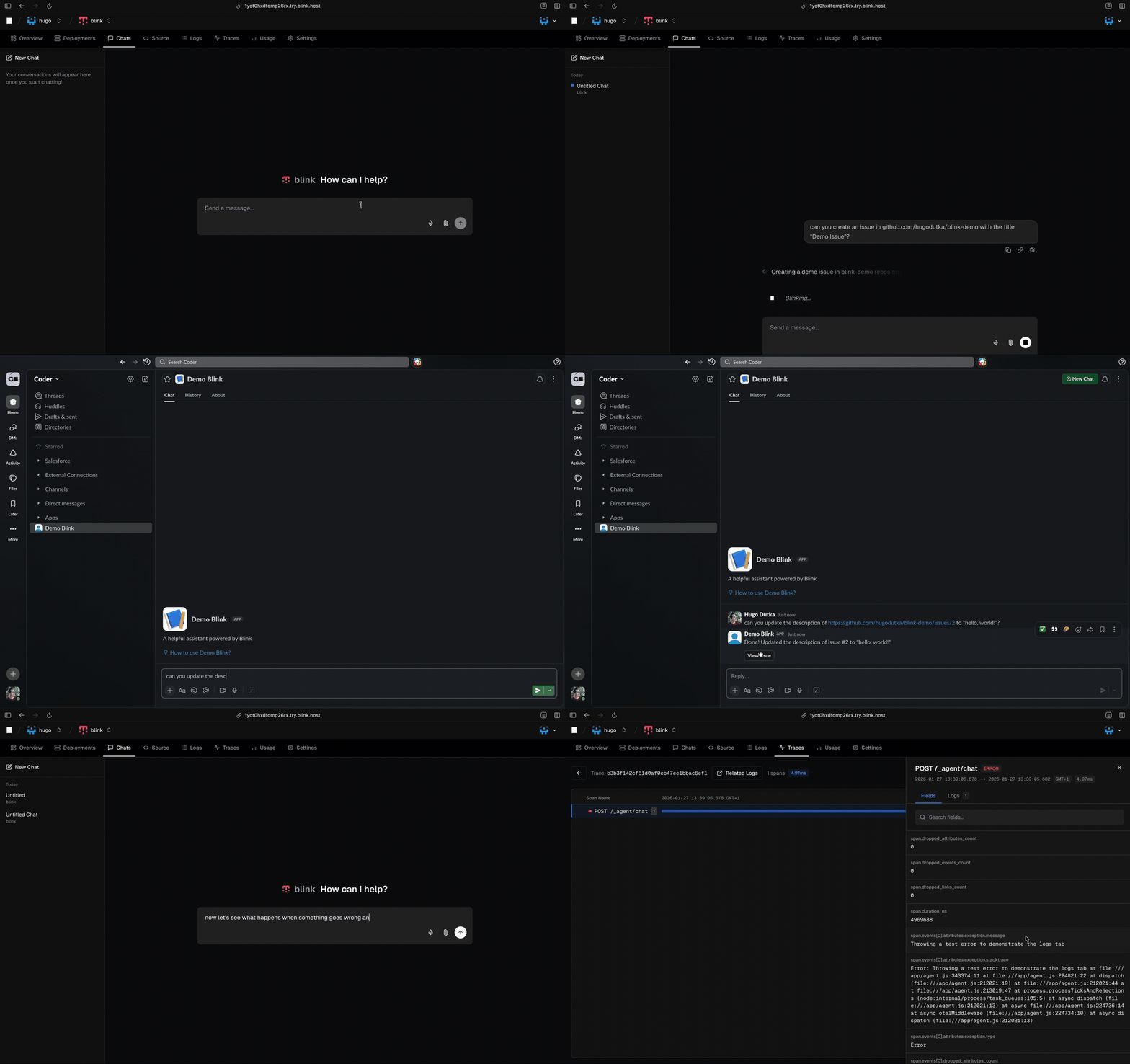
- Understanding complex codebases – ask questions about how a repo works, how parts connect, or where to start when the code is unfamiliar.
- Coding partner in Slack – discuss ideas, open GitHub issues, or handle small coding tasks directly in Slack without breaking the conversation.
- Customer support in shared channels – let your customers ask technical questions in shared Slack channels and get answers backed by citations from your codebase and documentation.

Many of the things you can do with Blink are also possible with ChatGPT, Claude Web, or Claude Code. Blink shines when you need to:
- Retain control of your data and infrastructure. Blink runs on your own servers, and agents can use any LLM provider: be it Amazon Bedrock, Google Vertex, or a self-hosted model.
- Centralize your conversations. Compared to Claude Code, all conversations are stored in a single database.
- Centralize access. Blink lets you define access controls to your agents in a single place.
- Fully control the source code of your agents. Blink is open source.
- Pre-built, fully-functional Scout agent, which you can customize for your own use
- Web UI where you can chat with agents
- Blink SDK – a set of libraries for building agents compatible with the Blink platform
- Blink CLI – a command-line tool for developing agents locally
- Observability – use the web UI to view logs and traces
- Docker-based deployment – agents are deployed as Docker containers
- User and organization management – invite your team to use and collaborate on agents
- Node.js 22+ or Bun
- Docker (the server needs it to deploy agents)
npm install -g blink-server
blink-server
Open the Blink web UI in your browser and create your first agent. Alternatively, you may run the server with Docker.
Agents are HTTP servers that respond to events. The Blink Server deploys them as Docker containers, routes messages from Slack/GitHub/web UI, and manages conversation state – your agent just defines how to respond.
import { convertToModelMessages, streamText } from "ai";
import * as blink from "blink";

const agent = new blink.Agent();

agent.on("chat", async ({ messages }) => {
  return streamText({
    model: "anthropic/claude-opus-4.6",
    messages: convertToModelMessages(messages),
    system: "You are a helpful assistant.",
  });
});

agent.serve();
The on("chat") handler processes incoming messages. For tool calls, the server automatically loops back to your agent until the response is complete.
For a closer look at Blink agents, visit blink.coder.com/docs.
We’ve been using Blink at Coder for a few months now. We built in-house agents that:
- help our customers in Slack with questions related to the Coder product by analyzing the coder/coder repository
- automatically diagnose flaky tests in our CI pipeline, create issues, and assign relevant engineers to fix them
- answer questions from our sales team by aggregating data from our CRM and sales tools
and more.
That being said, Blink is still in early access. You may encounter bugs and missing features. If you do, please file an issue.
Server code is licensed under AGPLv3. Agent SDKs are licensed under MIT.